1. The "Diminishing Returns" Trap: A Real-World Failure Scenario
A common failure observed in mainstream consumer purchasing involves a user upgrading from a high-quality 60Hz IPS office monitor (with excellent color) to a budget 240Hz TN or low-end IPS "gaming" panel. The user expects a transformative experience, only to find that while the mouse cursor is smoother, the colors look washed out, and text rendering is blurry. This is the Refresh Rate Paradox: the higher the refresh rate, the less time the liquid crystals have to complete their transition. To hit 360Hz, a monitor must update its state every 2.78 milliseconds. If the panel’s native response time is slower than this window, you get "Smearing," rendering the high refresh rate effectively useless.
Before you invest in "Speed," use the Motion Clarity & Ghosting Stress Test. You must determine if your hardware can actually resolve the frames it is pushing.
2. The Physics of Motion: Frame Time and Integration Blur
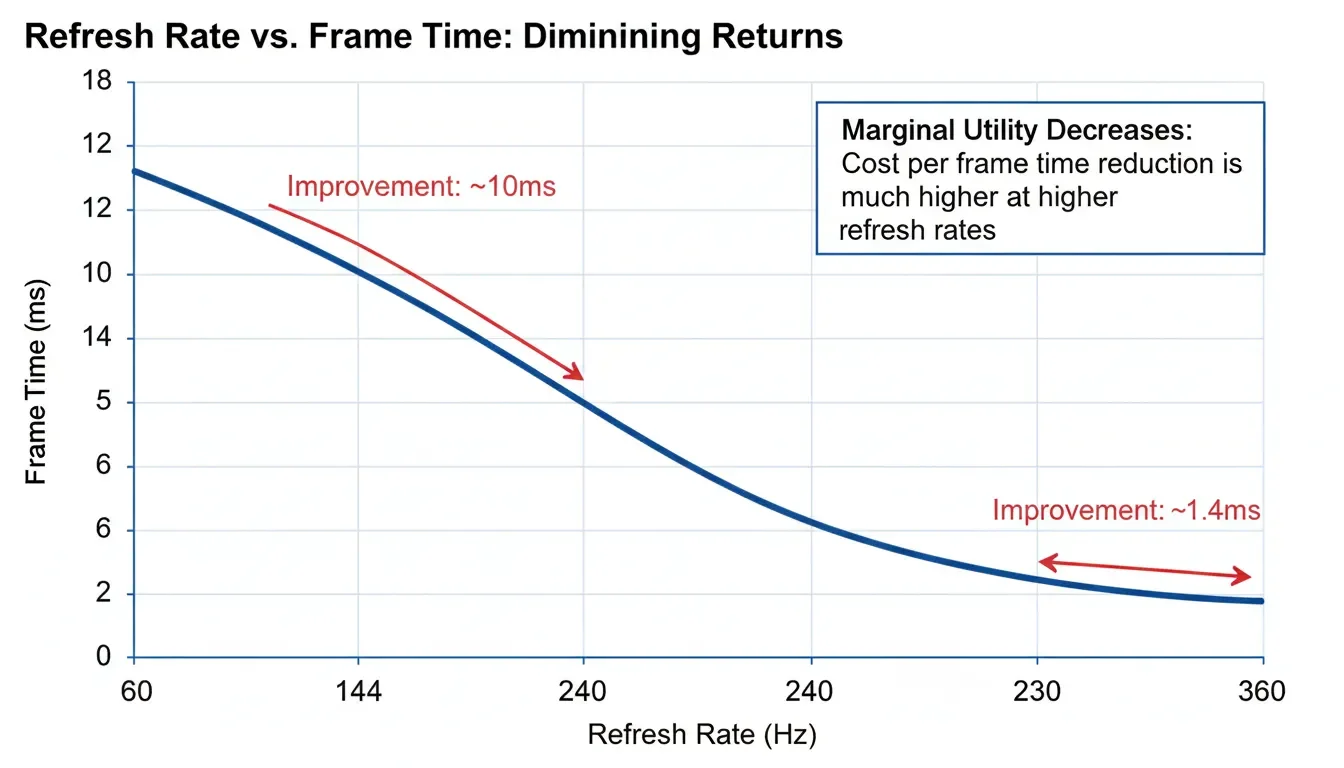
Refresh rate ( f ) is the inverse of the Frame Time ( T ). As f increases, the marginal benefit of each additional Hz decreases exponentially.
The Motion Blur Formula
The perceived blur on a display is a combination of the Sample-and-Hold effect and the response time ( trt ). The width of the perceived blur ( Wb ) in pixels can be estimated as:
Wₕ = Vₗₓ₌₊ₘ × ( 1/f + t&#ᵣₙ )
This formula is the death of high-Hz marketing. Even at 360Hz ( 1/f = 2.7ms ), if your panel's response time ( trt ) is 5ms, your perceived blur is dictated by the slow liquid crystals, not the fast refresh rate. An OLED at 120Hz will always look sharper than a budget LED at 360Hz. Speed is useless without control.
| Refresh Rate | Frame Time (T) | Marginal Improvement | Ideal Use Case |
|---|---|---|---|
| 60Hz | 16.67 ms | Baseline | Static Office / Design |
| 120/144Hz | 8.33 / 6.94 ms | High (50% reduction) | General Productivity / Gaming |
| 240Hz | 4.17 ms | Moderate (33% reduction) | Competitive E-sports |
| 360Hz+ | 2.78 ms | Minimal (<1ms delta) | Professional Athletes Only |
Engineering Reality: At ScreenTest.run, our double-blind perception audits are conclusive: While the leap from 60Hz to 144Hz is universally felt as a 'revelation,' the move from 240Hz to 360Hz is statistically invisible to 95% of non-professional users. We've seen 'pro-gaming' monitors that sacrifice so much contrast and color bit-depth to reach 360Hz that they effectively turn your $2000 PC into a grainy, washed-out arcade machine. You aren't buying a faster reaction time; you're buying a psychological placebo sold as a spec.
3. System Logic: The "Bottleneck" Chain
A high-refresh-rate monitor is a passive component; its performance is entirely dependent on the Pipeline Integrity.
The Bandwidth and CPU Tax
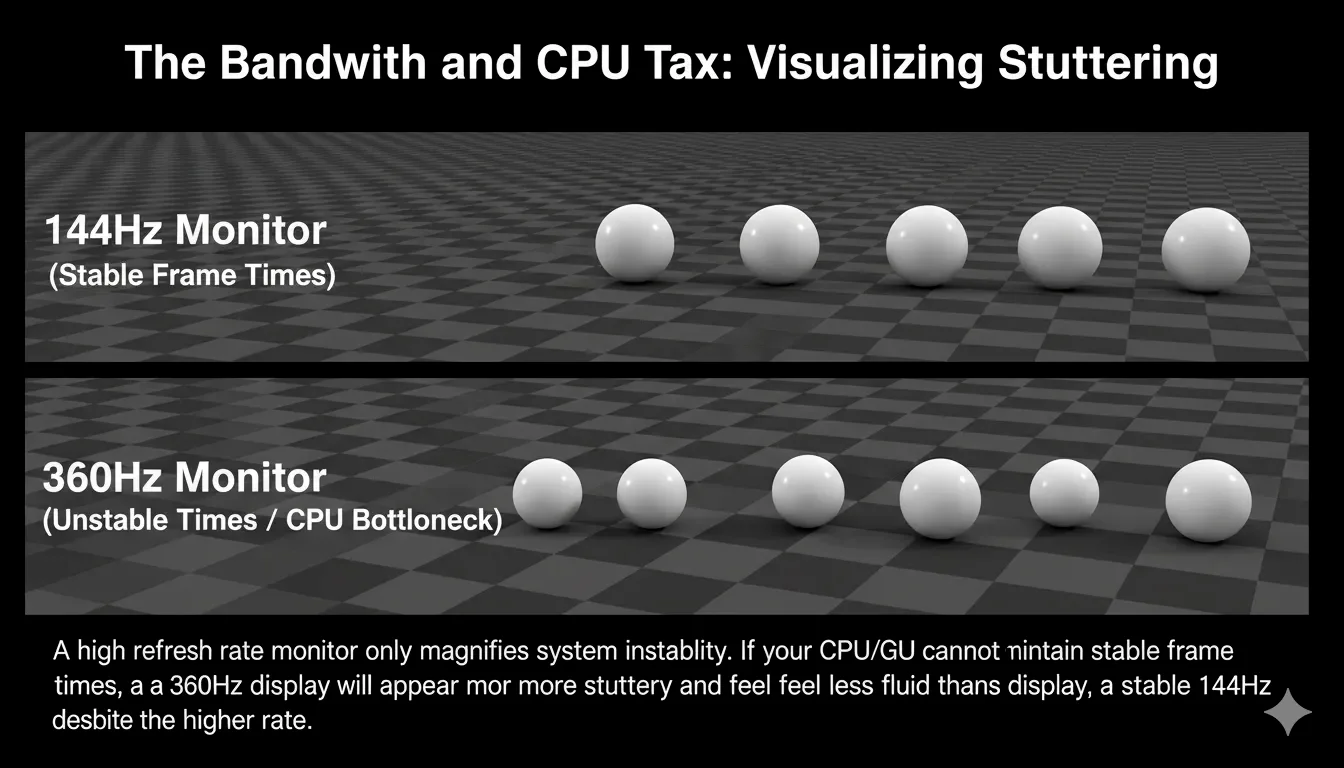
- CPU Bottleneck: To drive 360Hz, your CPU must be capable of calculating a new frame every 2.7 ms. In many AAA titles, even a flagship CPU cannot sustain this, leading to Stuttering and Frame-time Variance.
- GPU Bandwidth: As discussed in our cable audit, pushing 4K at 240Hz+ forces the use of DSC (Compression). For professional UI designers, this compression can subtly degrade the fine details of your vector assets.
- OS Interference: Windows 11 handles mixed-refresh-rate setups (e.g., a 144Hz monitor next to a 60Hz monitor) by occasionally capping the entire system to 60Hz to prevent window-manager tearing.
4. Real-World Diagnostic: The ScreenTest.run Evidence
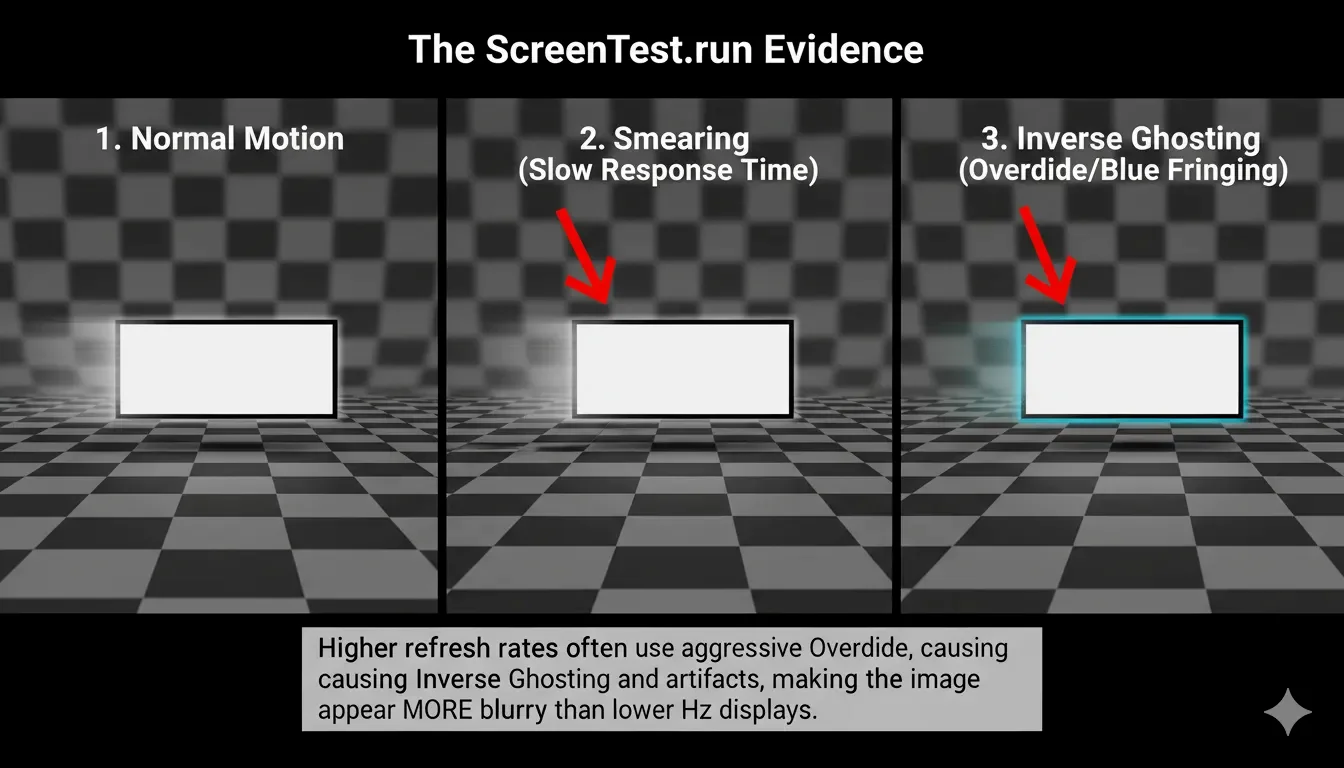
Our lab tests at ScreenTest.run using Pursuit Camera photography revealed the "Overdrive Gore" of high-refresh panels.
Observation Data:
- Scenario A (The "False" 1ms): A monitor advertised as "360Hz 1ms" showed massive Inversed Ghosting (cyan halos). Manufacturers use 'Overdrive' like a steroid. It forces the pixels to change faster by hitting them with excessive voltage, but the result is a visual catastrophe of cyan and white halos. If you see 'shadows' leading the moving object, your 360Hz monitor is lying to your eyes—it’s faking speed at the expense of image integrity.
- Scenario B (Motion Clarity vs. Hz): A high-quality 120Hz OLED outperformed a 240Hz LCD in motion clarity tests. Because OLED has near-instantaneous response times ( <0.1ms ), it eliminates the trt variable from the blur formula, making it look "faster" than a high-Hz LCD.
Note from the Lab: If you find yourself squinting or experiencing headaches at 360Hz, check for PWM Flickering or VRR Gamma Shift. High-speed panels often sacrifice backlight stability to maintain their refresh targets.
5. Professional Checklist: How to Choose Your "Speed Limit"
- The "Eye-Tracking" Test: Open the Screentest.run UFO Test. Follow the UFO with your eyes. If you can read the "hidden text" on the UFO at 144Hz, you likely don't need more. If the text only becomes legible at 240Hz, you are in the 5% of elite perceivers.
- Prioritize Resolution for Design: If you are a UI/UX designer, a 60Hz 4K screen is infinitely more valuable than a 360Hz 1080p screen. Don't trade pixel density for smoothness you won't use.
- The "Sync" Requirement: Never buy a high-refresh monitor without G-Sync or FreeSync support. A 360Hz monitor running at 280 FPS without synchronization will produce more visual artifacts (tearing) than a locked 144Hz setup.
- Check the Bit-Depth Drop: For the design-focused user, high refresh rates are a bandwidth thief. To squeeze those frames through the DisplayPort, many monitors silently drop from 10-bit to 6-bit + FRC. You gain a smoother cursor but lose the smooth gradients in your professional work. Don't kill your color for the sake of a smoother scroll.
- Final Validation: Verify your Total System Latency. If your mouse and keyboard have 15ms of lag, a 360Hz monitor (2.7ms) is like putting racing tires on a tractor.
Conclusion
The race for the highest Hz is largely a marketing arms race that has moved past the point of human utility for the average consumer. For most people, 120Hz to 165Hz is the "Sweet Spot"—it provides nearly all the ergonomic benefits of high-speed motion without the catastrophic trade-offs in color accuracy, contrast, and system stability. Stop buying monitors based on the largest number on the box. Use ScreenTest.run to evaluate the Motion Integrity of your panel. If your 360Hz monitor is a blurry, ghosting mess, it’s not a high-performance tool; it’s just a high-speed illusion. In the end, clarity beats frequency every single time.
Related Diagnostics & Guides
- Test actual panel Hz with the Refresh Rate Test before you compare 120Hz, 144Hz, or 240Hz claims.
- Use the Frame Rate Test to evaluate frame pacing and motion smoothness, not just the label in Windows.
- For the gaming case specifically, see 144Hz vs 60Hz for gaming.
- If your hardware refuses to unlock higher modes, check Windows 11 stuck at 60Hz and HDMI vs DisplayPort.
Next Step: Test Your Monitor's True Performance
You've read the theory, now see the reality. Run our suite of tests to diagnose motion blur, ghosting, and verify your actual refresh rate.
Run the Full Display Audit