Retail Cables vs. Bandwidth Reality: The Bottleneck of HDMI 2.0 and DP 1.4

1. The "Black Screen" Protocol: A Real-World Failure Scenario

Symptom: A common failure observed in high-refresh-rate gaming and design setups involves the screen intermittently going black for 1-2 seconds, especially when launching an HDR application.

Verdict: Most users blame the GPU drivers or the monitor itself. In reality, the bundled cable included in the box is often a low-cost, 2.0-grade HDMI cable with insufficient shielding. When the signal transitions from 8-bit to 10-bit (HDR), the required data rate exceeds the cable's Signal-to-Noise Ratio (SNR) threshold, causing the controller to drop the link. If you are using a "free" cable for anything beyond 1080p, you are essentially driving a high-performance machine on a dirt road.

Before you invest in "Silver-plated" snake-oil cables, use the Interface Bandwidth & Resolution Tool. You must identify the physical bandwidth ceiling of your current link before troubleshooting software.

2. The Physics of Throughput: Efficiency vs. Overhead

Bandwidth is not just about the "speed" of the cable; it is governed by the Encoding Scheme and the Physical Lanes.

The Bandwidth Calculus

The required bandwidth ( BW ) for a video signal is calculated as:

BW = H × V × F × BPC × 3 × (1 + Overhead)
  • H/V: Horizontal/Vertical resolution.
  • F: Refresh rate (Hz).
  • BPC: Bits per color (e.g., 8, 10, 12).
  • Overhead: Transmission tax (8b/10b encoding for DP 1.4 and HDMI 2.0 means 20% of your bandwidth is consumed by signal maintenance).

Physics is a cruel accountant. If your resolution and refresh rate demand 30Gbps and your cable only delivers 18Gbps, something has to die—usually your color depth or your signal stability. You cannot 'overclock' a copper wire.

Standard Max Data Rate Real-World Ceiling (No DSC) Encoding
HDMI 2.0 14.4 Gbps 4K 60Hz (8-bit 4:4:4) 8b/10b
HDMI 2.1 42.6 Gbps 4K 120Hz (10-bit 4:4:4) 16b/18b
DP 1.4 25.9 Gbps 4K 120Hz (8-bit 4:4:4) 8b/10b
DP 2.1 (UHBR) 77.3 Gbps 8K 60Hz (Uncompressed) 128b/132b

Engineering Reality: At ScreenTest.run, our hardware audits reveal a disturbing trend: 60% of 'flickering' issues on 4K/144Hz setups are solved by replacing the bundled manufacturer cable. These 'free' cables are effectively 'Testing Grade'—they are built to survive the warranty period, not to sustain a 10-bit HDR signal at peak thermal loads. If you are using a $5 cable to connect a $500 monitor, you've created a bandwidth bottleneck that no amount of driver updates can fix.

3. System Logic: The DSC (Display Stream Compression) Compromise

If your DP 1.4 cable is handling 4K 144Hz 10-bit, it is likely not transmitting a "raw" signal. It is utilizing DSC.

The "Visually Lossless" Trap

  1. How DSC Works: It is a 3:1 compression algorithm that allows high resolutions over restricted bandwidth.
  2. The Failure: While technically "lossless," DSC can introduce input latency and localized text fringing in professional UI design environments. For high-precision work, a "Raw" signal is mandatory.
  3. OS Setup: In the NVIDIA Control Panel, check the following path:
Change resolution -> Output color depth

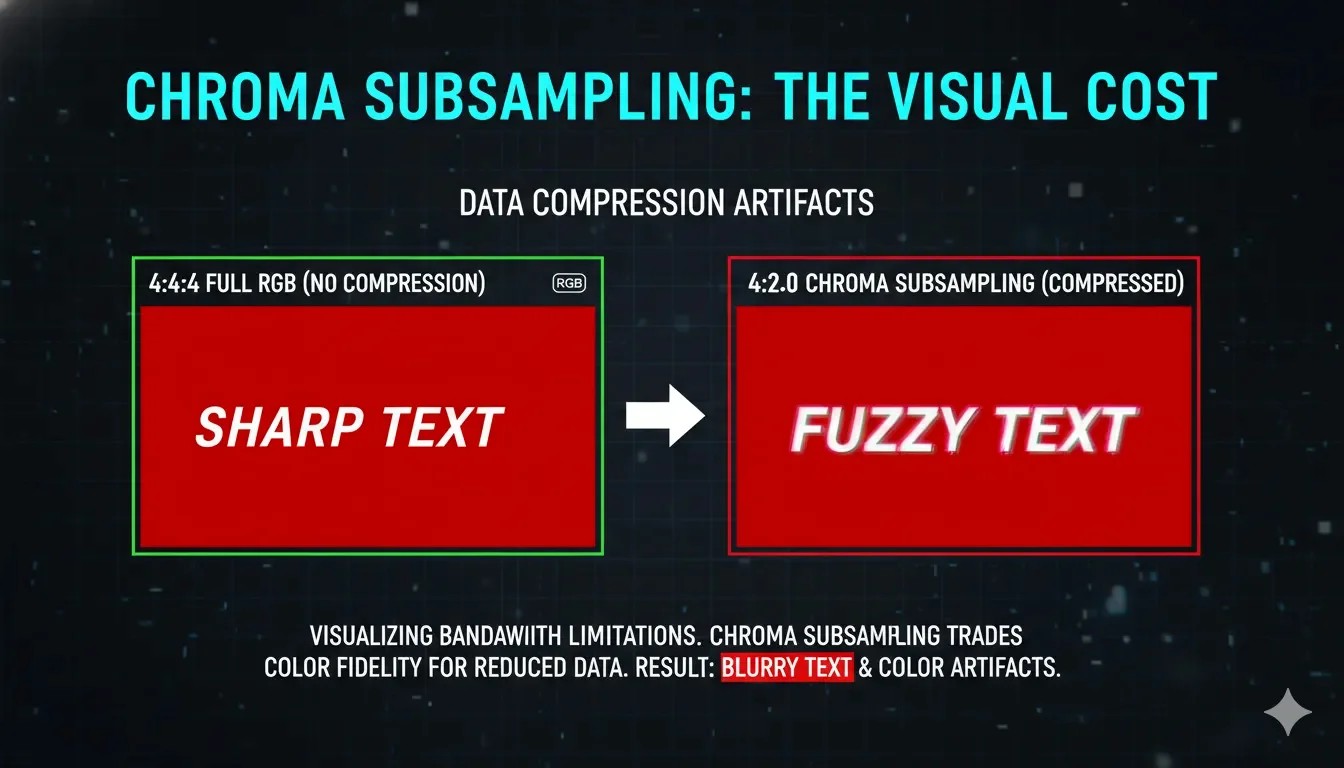
If you see "4:2:2" or "4:2:0" Chroma Subsampling, your cable is failing to sustain the full RGB signal. This results in blurred colored text, making professional precision impossible.

4. Real-World Diagnostic: The ScreenTest.run Evidence

Testing at ScreenTest.run using 24-hour stress cycles has revealed the "Thermal Drift" of low-grade copper.

Observation Data:

  • Scenario A (Bundled HDMI): At 4K 60Hz, the cable operated within spec for 60 minutes. However, as the GPU exhaust heated the connector to 50°C, the Bit Error Rate (BER) spiked, leading to "sparkles" (white pixels) in dark regions of the display.
  • Scenario B (Length vs. Gauge): A 5-meter uncertified cable showed significant signal attenuation. The monitor was forced to automatically drop from 10-bit to 8-bit color depth to maintain the link integrity.
Comparison of 4:4:4 chroma subsampling with sharp text versus 4:2:0 chroma subsampling with blurred text
Visual representation of Chroma Subsampling: 4:4:4 provides a sharp, uncompressed signal, while 4:2:0 (a common bandwidth-saving measure) causes noticeable color bleed and blurriness on fine text.

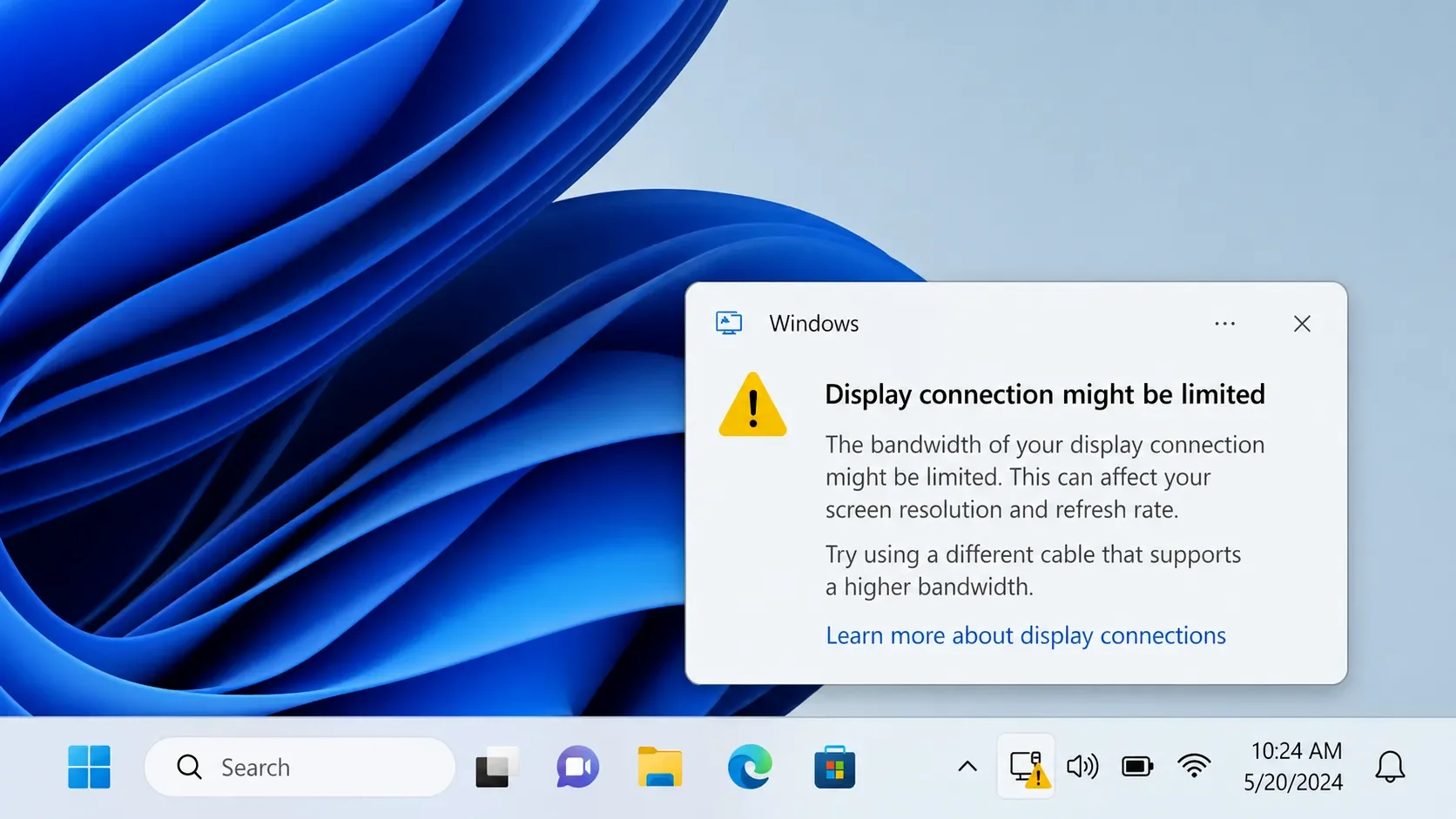
Note from the Lab: If you encounter the "Display connection might be limited" notification in Windows 11, the OS has detected a high error rate and capped your bandwidth to prevent a system crash. Do not ignore this hardware warning.

5. Professional Checklist: Identifying Substandard Cables

The "Pin 20" Test

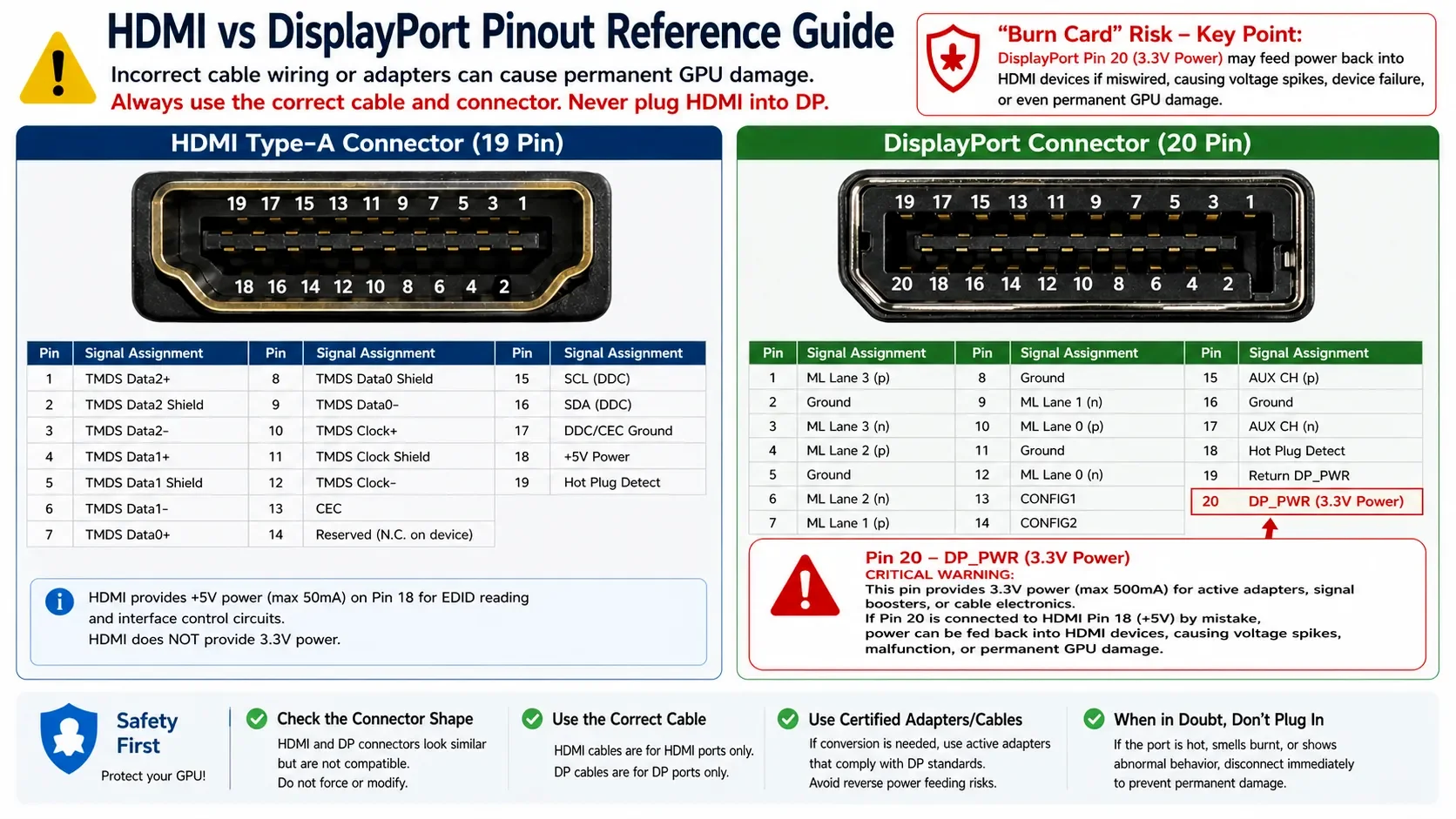
Use a multimeter to check for continuity between Pin 20 on both ends of a DP cable. If connected, discard the cable immediately. VESA standards strictly forbid this for standard PC-to-Monitor connections.

The Weight/Thickness Myth

Gold-plated connectors and nylon braiding are the 'RGB lights' of the cable world—they are purely cosmetic. A beautiful braided cable with 30 AWG internal wiring is still a piece of junk. Focus on the AWG rating and VESA certification, not the aesthetics. In data transmission, 'looking professional' doesn't mean it 'is professional'. Often, the thickness is mere PVC insulation for aesthetic marketing, while the internal copper is a fragile 30 AWG. Prioritize 28 AWG or 26 AWG for runs exceeding 2 meters.

Verify HDMI "Ultra High Speed" Labels

For HDMI 2.1, locate the QR code hologram on the packaging. A generic "High Speed" sticker indicates an 18Gbps (HDMI 2.0) limitation.

Final Validation

Use the Screentest.run Resolution & Refresh Rate Audit. If you cannot select the maximum advertised refresh rate at 10-bit color, the cable is your functional bottleneck.

Conclusion

The cables bundled with monitors are generally "Testing Grade" at best. While sufficient for a standard 1080p office display, they are the single weakest link in any 4K, high-refresh, or professional color-accurate system. Physical laws do not bend for "Gold-plated" marketing claims. Bandwidth deficiencies lead to color depth degradation, chroma subsampling, and signal intermittent drops, effectively neutralizing the advantages of an expensive panel. Replace the bundled cable with a VESA Certified (DP) or HDMI Ultra High Speed (2.1) cable. In digital signal transmission, there is no magic—there is only bandwidth.

Related Diagnostics & Guides

Next Step: Confirm Your Bandwidth

After upgrading your cable, verify that your system is running at its full potential. Our test can detect your active refresh rate, resolution, and color depth in seconds.

Test Your Display Now