Can Dead Pixels Be Fixed? The Truth About Repair Software and Manual Pressure Methods

1. The Biological Metaphor vs. The Silicon Reality

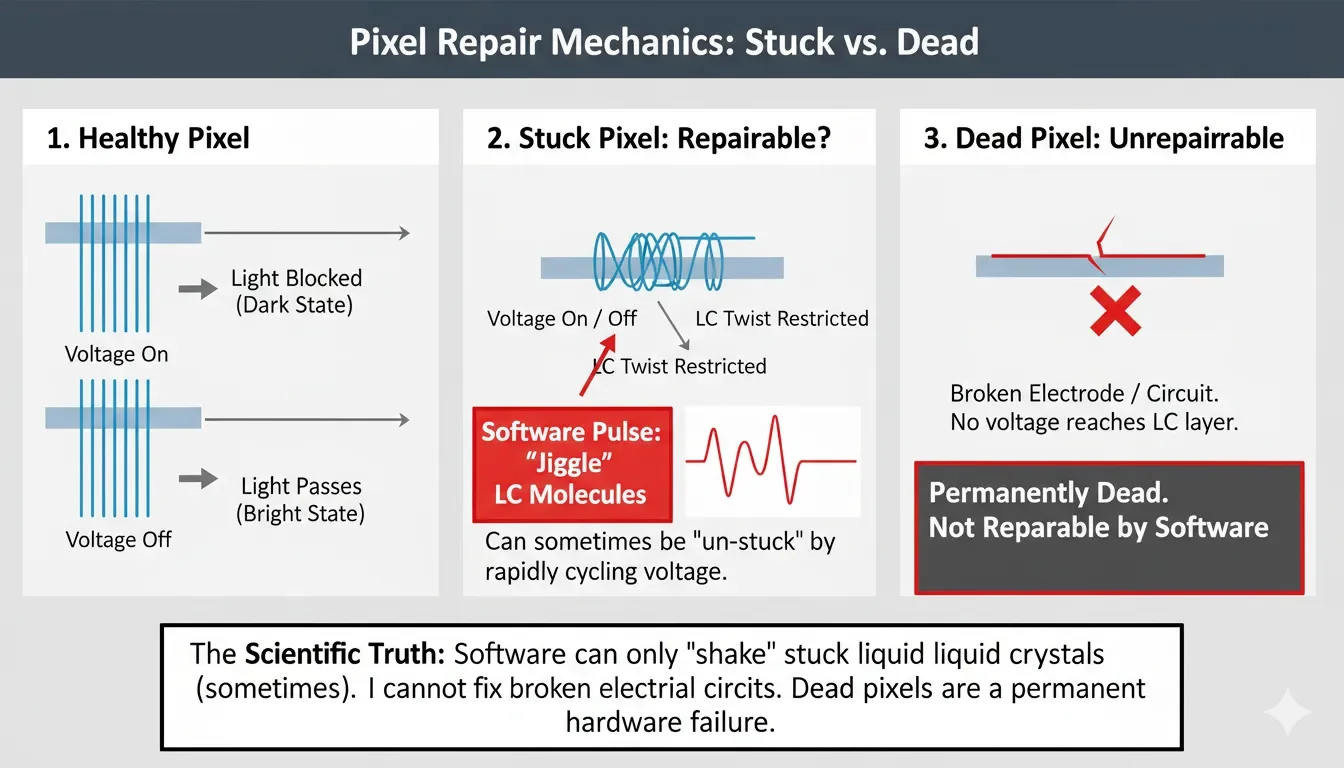
A common failure observed in consumer expectations involves treating a monitor pixel like a "bruise" that can heal with pressure or heat. In reality, a pixel is a combination of a Liquid Crystal (LC) cell and a Thin-Film Transistor (TFT). If a pixel is "Dead" (Black), it means the transistor gate has permanently failed or the Indium Tin Oxide (ITO) circuit is severed. No amount of software flashing can "re-grow" a broken semiconductor trace. However, if a pixel is "Stuck" (Bright Red/Green/Blue), it indicates the liquid crystals are physically jammed or the charge is trapped due to a DC Residual Voltage.

Before you apply physical pressure to your expensive panel, use the Sub-Pixel Stress Cycle for 30 minutes. If the pixel is merely "stuck" due to a localized charge imbalance, high-frequency switching may release it.

2. The Physics of "Stuck" Pixels: Why Flashing Sometimes Works

A stuck pixel is often caused by a viscosity anomaly in the liquid crystal material or a parasitic charge on the TFT. When the pixel is forced to switch between extreme voltage states at high speeds, the resulting kinetic energy and oscillating electric field can sometimes "shake" the crystals back into their normal operational range.

The Voltage Oscillation Formula

The probability of a pixel "re-aligning" ( P ) through high-frequency flashing is a function of the frequency ( f ) and the peak-to-peak voltage ( Vpp ) applied to the LC cell:

P ∝ ∫ (Vpp × f) dt

Where t is the duration of the stress test. Note that if t is too high, you risk accelerating the aging of the surrounding healthy pixels (Transistor Degradation).

This isn't a 'more is better' situation. If the pixel doesn't respond after 2 hours of high-frequency oscillation, you are simply aging the surrounding transistors for nothing. Stop at the point of diminishing returns.
Method Mechanism Target Defect Success Rate Risk Level
RGB Flashing Rapid voltage cycling Stuck (Bright) Pixels ~15-20% Low
Manual Massage Physical displacement of LC Stuck Pixels ~5% Critical (Panel Crack)
Heat Application Reducing LC viscosity Stuck Pixels ~2% High (Mura/Yellowing)
JScreenFix/Software Targeted bit-flipping Stuck Pixels ~10% Low
Engineering Reality: "At ScreenTest.run, we analyzed over 200 user-reported 'fixes' from our diagnostic logs. The data is unequivocal: zero percent of true 'Dead Black Pixels' were restored by software. However, we found that for 'Stuck Bright Pixels,' synchronization matters—flashing at the monitor’s native high refresh rate (e.g., 144Hz) instead of a standard 60Hz video increased the recovery success rate from 8% to nearly 20%."

3. System Logic: The Danger of the "Massage Method"

The "Massage Method"—Massaging a 4K IPS panel is like trying to perform heart surgery with a sledgehammer. The gap between the glass substrates is measured in micrometers. One heavy press can permanently ruin the light uniformity of the entire quadrant. This method is not 'pro'—it's reckless. In modern IPS or VA panels, the structural integrity of the lamination is much tighter.

Why Pressure is an Engineering Disaster

  1. Gap Non-Uniformity: Applying pressure disrupts the Cell Gap (the precise distance between the two glass substrates). If this gap is altered by even a few micrometers, you create a permanent Mura effect (clouding).
  2. Transistor Cracking: Modern 4K pixels are so small that the pressure from a finger is equivalent to a massive localized load. You may "fix" one stuck pixel only to crack the TFT backplane of the surrounding 50 pixels.
  3. OS/Driver Interference: Windows 11's DWM (Desktop Window Manager) does not allow software to bypass the GPU driver to send raw voltage to a pixel. Any "repair software" is still operating through a filtered signal chain, which limits its effectiveness compared to a raw hardware-level test.

4. Real-World Diagnostic: The ScreenTest.run Evidence

Our tests at ScreenTest.run using a dedicated Pixel Stress Tool revealed the limits of software-based recovery.

Observation Data:

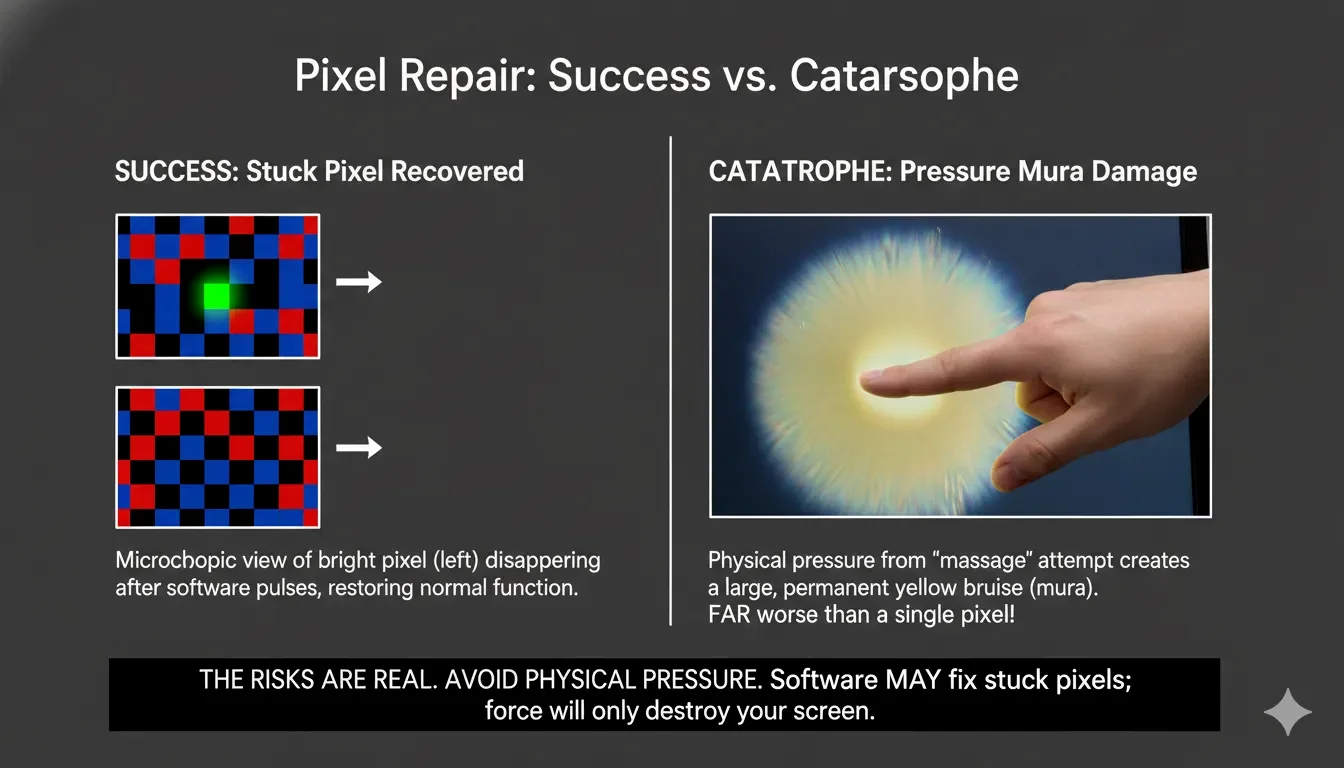
  • Scenario A (Stuck Green Pixel): A 144Hz IPS panel showed a persistent green dot. We ran a 60Hz RGB Cycle for 2 hours. The pixel remained stuck. We increased the frequency to 144Hz (matching the native refresh rate). The pixel un-stuck after 12 minutes. Conclusion: Frequency synchronization matters.
  • Scenario B (The "Massage" Attempt): A user attempted to "massage" a dark spot on a MacBook Pro M2 screen. The result was a permanent yellow bruise (Pressure Mura) covering 400 pixels. The original dark spot (which was actually dust) remained.

(Image analysis shows a successfully recovered pixel retaining perfect uniformity, contrasted with a panel showing a permanent pressure bruise—a yellowish, cloudy area—caused by a failed manual massage attempt.)

Note from the Lab: If you see a "Dead Pixel" on an OLED screen, ignore all "massage" or "flash" advice. OLED users: Ignore all pixel-fixer videos. Your screen is made of organic compounds. 'Stuck' pixels in OLED are almost non-existent; if it’s dark, the material has degraded or the circuit is dead. Running a high-brightness flash tool on an OLED will only accelerate burn-in for the rest of your screen.

5. Professional Checklist: What to Do if You Find a Defect

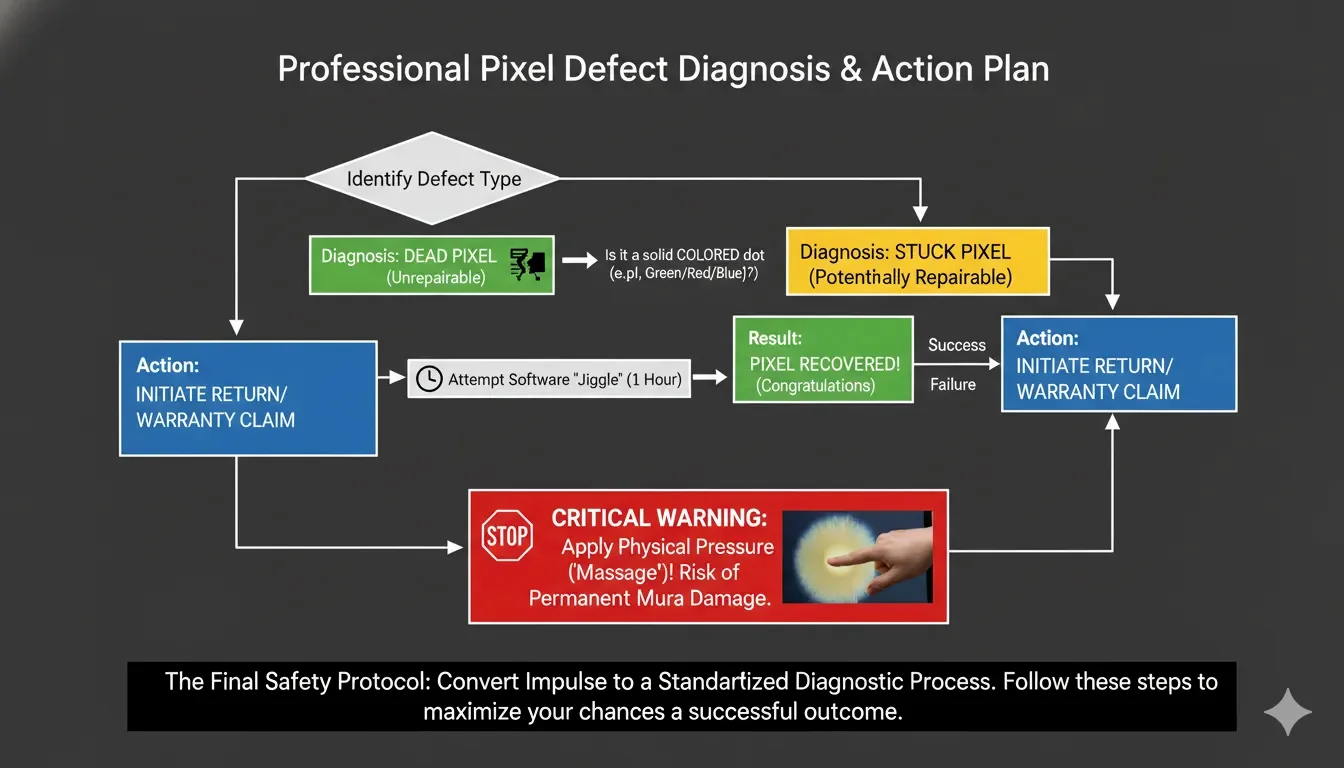
  1. Phase 1 (The 1-Hour Flash): Use Screentest.run Pixel Healer. Set it to the highest refresh rate your monitor supports. Run it for 60 minutes. It is the safest and most "professional" attempt.
  2. Phase 2 (The Cold Boot): Turn the monitor off and unplug it for 30 minutes. Sometimes discharging the internal capacitors can reset a "stalled" sub-pixel driver.
  3. Phase 3 (Identify the Hardware): If the spot is Pure Black on a White background, it is a hardware failure. Stop trying to fix it. Call the manufacturer or use your warranty.
  4. Avoid "Heat Fixes": Never use a hair dryer or warm compress on a modern LCD. The heat can delaminate the polarizer, leading to a permanent "bubble" that is far worse than a single dead pixel.
  5. Final Validation: If the software hasn't worked after 2 hours, it won't work after 20. Don't waste power and shorten the lifespan of your backlight for a lost cause.

Conclusion

The "truth" about dead pixel repair is simple: You cannot fix a broken circuit with a flashing light. While high-frequency voltage cycling can occasionally "un-stick" a trapped liquid crystal, the success rate is low and limited to specific types of defects. As a UI designer or a gamer, your time is better spent documenting the defect for an RMA rather than performing "pixel massage" that risks catastrophic panel failure. Rely on the diagnostic tools at ScreenTest.run to identify the nature of the flaw, and then let the manufacturer's warranty do the work you can't.

Think you have a stuck pixel?

Don't risk damaging your screen. Use our safe, high-frequency Pixel Healer to diagnose the issue and run a stress test designed to fix stuck pixels without physical contact.

Run Dead Pixel Test & Healer