1. The Death of the "Backlight Floor": A Real-World Failure Scenario
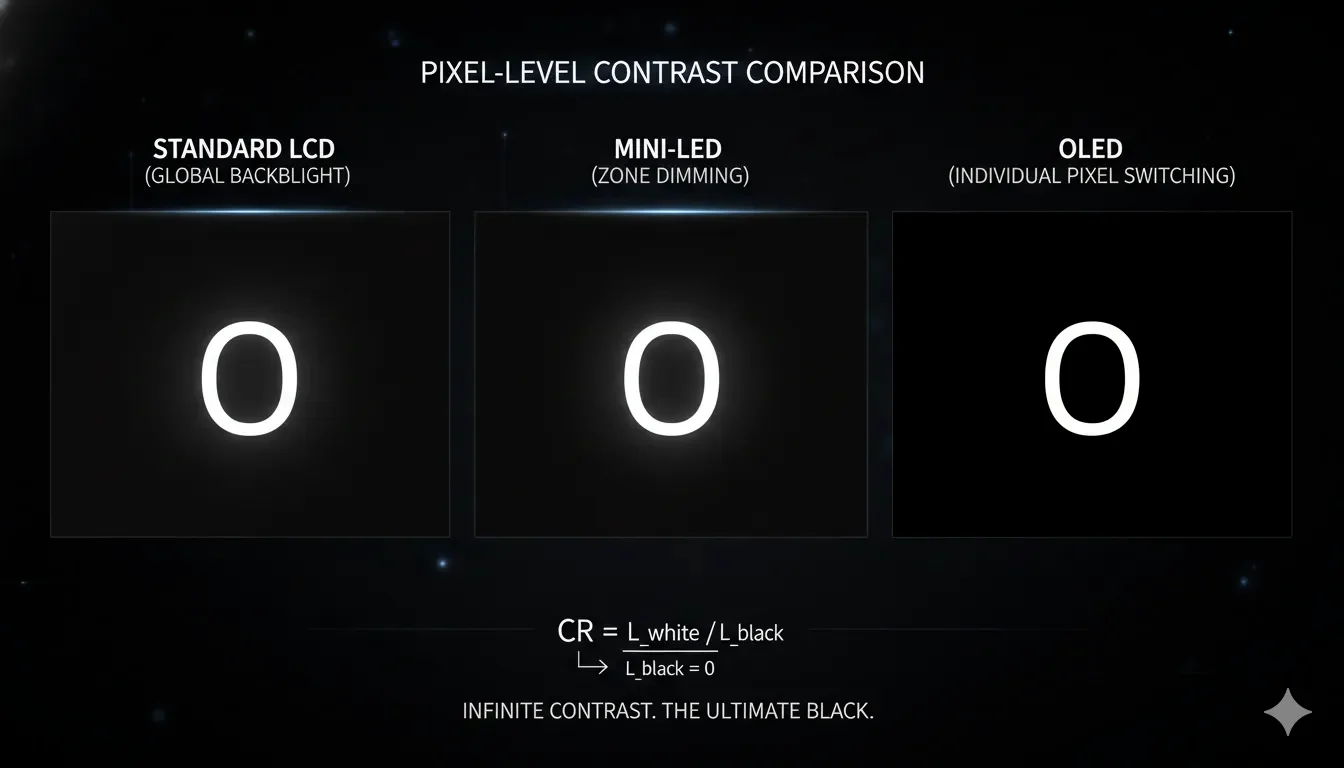
A common failure observed in high-end LCD monitors (even those with 2304-zone Mini-LED backlights) involves the "Halos" surrounding white text on a black background. When performing a black test in a dark room, an LCD monitor—by physical design—must always have a "Floor." Because the liquid crystals cannot perfectly block 100% of the light from the back-mounted LEDs, the "Black" you see is actually a deep translucent grey. In contrast, an OLED panel simply cuts the voltage to individual pixels, reaching a physical state of 0.000 nits.
For a UI designer working on high-contrast night modes, the LCD's "backlight bleed" isn't just an eyesore; it’s a distraction that obscures shadow detail and color accuracy in dark regions.
Before you invest in "Pro" hardware, use the Absolute Black Uniformity Tool. If you can see the edges of your screen in a dark room, your "Black" is a compromise.
2. The Physics of Infinite Contrast: Bit-Depth and Voltage
The fundamental difference lies in how each technology achieves a "Dark State." An LCD acts as a Valve, while an OLED acts as a Switch.
The Contrast Ratio Calculus
In display engineering, the Contrast Ratio ( CR ) is defined as:
CR = L_white / L_black
Mathematics doesn't lie: When the denominator ( L_black ) is zero, the ratio becomes infinite. This is why a $1,000 OLED can visually outperform a $5,000 Professional LCD in a dark room. You aren't paying for more light; you're paying for less leakage.
- For LCD:
L_blackis always > 0 (typically 0.05 to 0.5 nits). Therefore, the CR is finite (e.g., 1,000:1 for IPS, 5,000:1 for VA). - For OLED:
L_blackis mathematically 0. This results in what marketers call "Infinite Contrast."
| Metric | IPS/VA LCD (Standard) | Mini-LED LCD | OLED (WOLED/QD-OLED) |
|---|---|---|---|
| Light Source | Global Backlight | Localized Zones (512-2304) | Per-pixel (8.3 Million) |
| Black Level | 0.1 - 0.5 nits (Grey) | 0.001 - 0.05 nits (Zonal) | 0.000 nits (True Black) |
| Blooming | Massive Leakage | Visible "Halos" | Zero |
| Response Time | 1ms - 5ms (Liquid movement) | 1ms - 4ms | < 0.1ms (Electrical state) |
Engineering Reality:
"At ScreenTest.run, we've benchmarked high-end Mini-LEDs against QD-OLEDs, and the latency of the backlight algorithms is the 'hidden enemy.' While a Mini-LED might claim 2000 nits peak, the 0.5-second lag in dimming the zones during fast transitions creates a distracting 'ghost haze.' In contrast, our OLED tests show zero spatial latency—the black is instant because it is electrical, not algorithmic."
3. System Logic: HDR Tonemapping and "Near-Black" Crushing
Windows 11 and macOS handle "Black" differently depending on the reported peak and floor luminance of the display.
The "Near-Black" Struggle
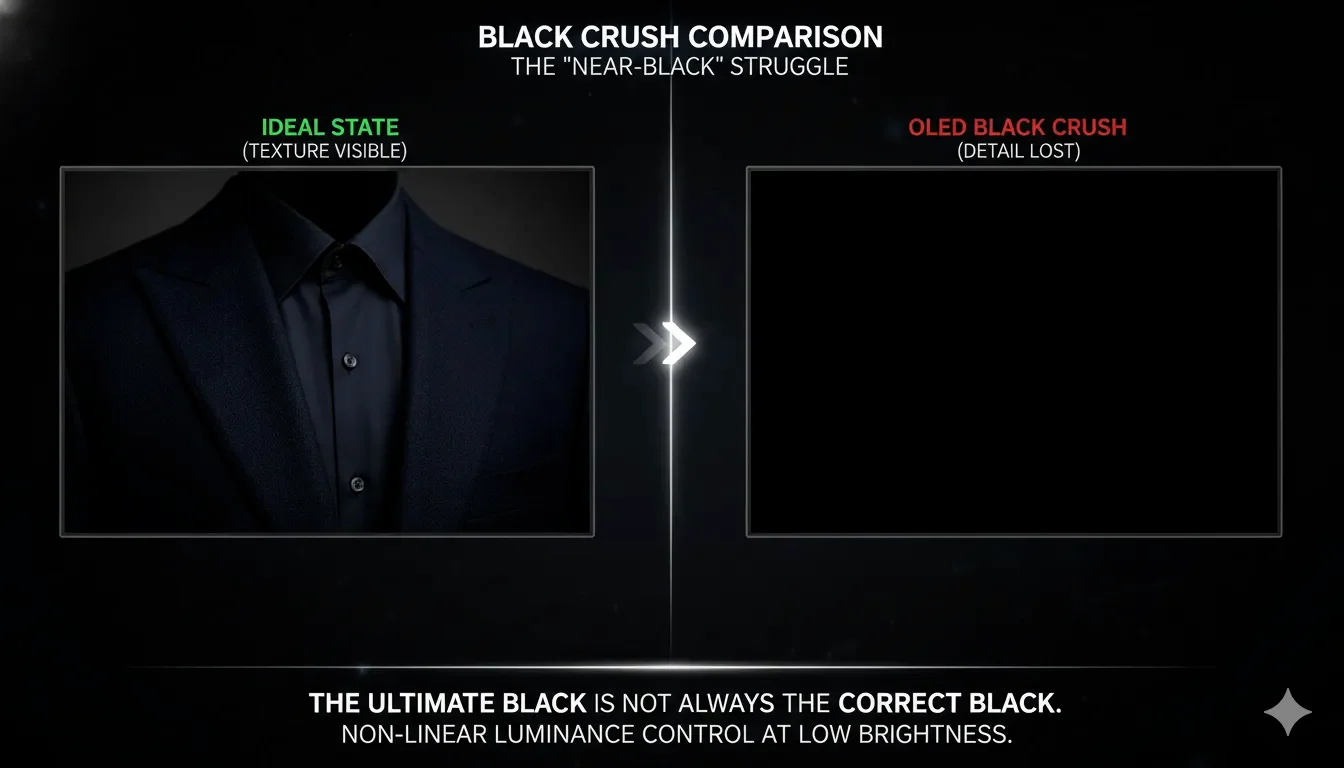
OLED has a hidden weakness that LCD often wins at: Near-Black Detail.
- The Problem: Because OLEDs are so good at turning "Off," OLED's biggest lie is that it's perfect for shadows. The truth is: it's violent. Turning an organic diode 'slightly on' is a voltage nightmare. If you're a colorist, you'll often find that an old-school IPS LCD resolves shadow details that an OLED simply 'crushes' into the abyss to hide its noise.This often results in Black Crush, where dark grey details (like a texture in a shadow) are swallowed into pure black.
- The LCD Advantage: Because an LCD backlight is always "On," it can often resolve extremely fine gradients in dark shadows better than a poorly calibrated OLED.
- OS Calibration: If using an OLED, navigate to the path below. Use the Windows HDR Calibration Tool to set your "Minimum Luminance" to exactly 0. This ensures the OS doesn't try to "lift" the blacks and introduce digital noise into the pure black signal.
Settings -> System -> Display -> HDR
4. Real-World Diagnostic: The ScreenTest.run Evidence
Our tests at ScreenTest.run using a Photometer and various QD-OLED vs. IPS Black panels revealed the "Ambient Light Trap."
Observation Data:
- Scenario A (QD-OLED in Bright Room): Due to the lack of a traditional polarizer, QD-OLED has a secret: it lacks a polarizer. In a bright office, your 'Infinite Contrast' becomes a 'Muddy Purple.' If you don't control your room's lighting, you've wasted your money. An OLED's performance is tied to your curtains, not just its spec sheet. The "True Black" only exists in controlled lighting.
- Scenario B (IPS Black Technology): New IPS Black panels reached a 2,000:1 contrast ratio. While a 100% improvement over standard IPS, our Black Uniformity Map showed it still looked "milky" compared to an entry-level OLED in a pitch-black room.
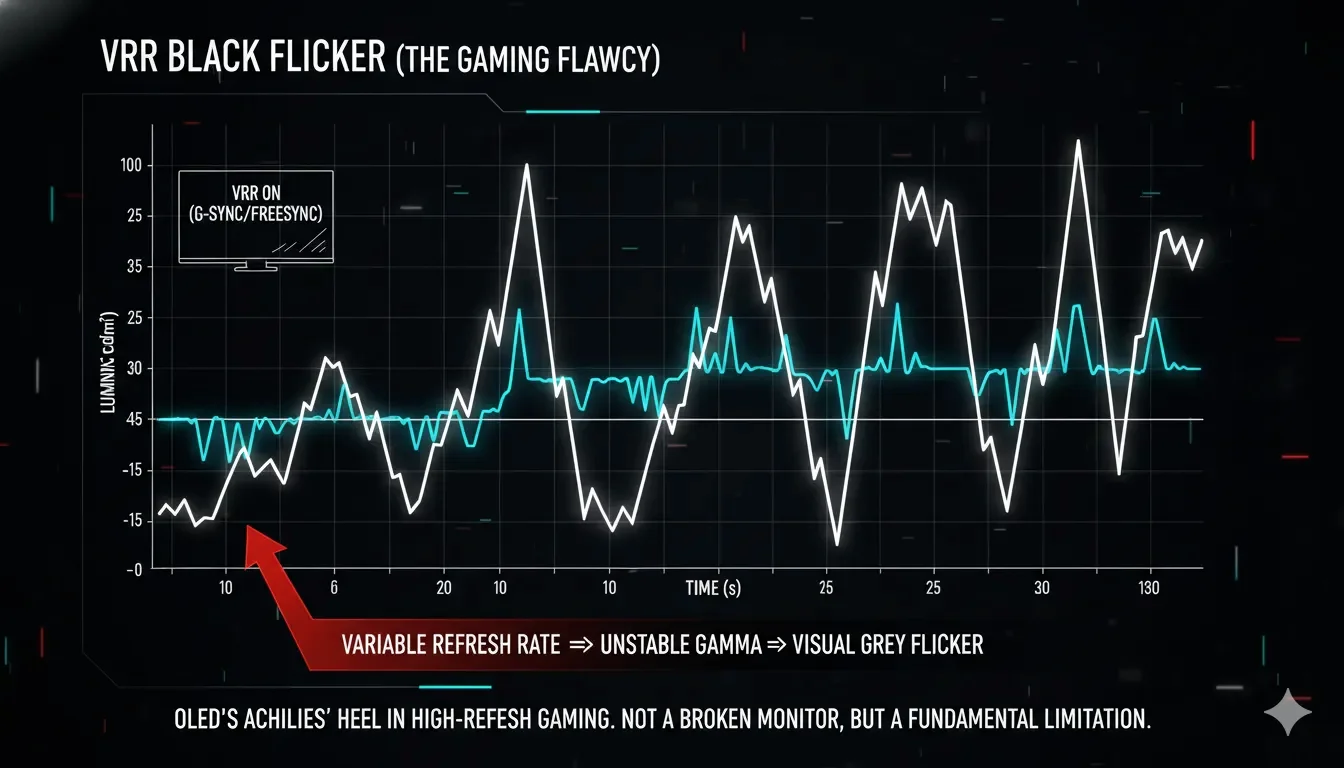
Note from the Lab:If you see "flickering" in near-black areas on an OLED during a 144Hz test, it’s often VRR Gamma Shift. Because OLED gamma is voltage-dependent, changing the refresh rate dynamically can cause the black levels to "bounce," a flaw that fixed-backlight LCDs do not share.
5. Professional Checklist: How to Evaluate Your "Blacks"
- The "Invisible Frame" Test: Open a pure black image at 100% size using Screentest.run. In a dark room, you should not be able to tell where the monitor ends and the room begins. If you see the screen's rectangular outline, you are looking at LCD Glow.
- The "Star Field" Check: Look for small white dots on a black background. If the dots appear to have "glow-worms" around them, your Local Dimming algorithm is failing.
- Check for "Mura" (Clouding): On an LCD, look for uneven "clouds" of light. On an OLED, look for "Vertical Banding" in 5% grey tests. No technology is perfectly uniform at the 5% threshold.
- Verify "True Black" Support: Ensure your GPU output is set to
"Full Range (0-255)"and not"Limited (16-235)"in the NVIDIA/AMD control panel. "Limited" range will turn your OLED's perfect black into a muddy grey. - Final Validation: Use the Screentest.run Black Level Gradient tool. If the first three boxes (1%, 2%, 3% grey) are invisible, your screen is Crushing Blacks to hide its inability to handle low voltage.
Conclusion
The "Black Test" is where OLED proves its dominance and LCD reveals its legacy limitations. While LCD has made massive strides with Mini-LED and "IPS Black" tech, it remains an Additive technology trying to subtract light. OLED is a Subtractive technology that starts from nothing. For professional color work and immersive media, the "Zero Nit" floor of OLED provides a canvas that LCD simply cannot simulate.
However, remember the cold truth: OLED’s "Perfect Black" is only as good as your room’s ambient light control. If you work in a sun-drenched office, that "Infinite Contrast" is a theoretical luxury you’ll rarely see.
Related Diagnostics & Guides
- Run the Black Screen Test before you judge any "true black" marketing claim.
- If your LCD looks milky instead of black, read why black looks grey on some monitors.
- To separate panel physics from edge leakage, compare with our Backlight Bleed Test.
- If your corners flare only at certain angles, continue with IPS Glow vs Backlight Bleed.
Put Your Display to the Test
You've read the theory, now see the reality. Use our full-screen black test to instantly check for backlight bleed, dead pixels, and uniformity issues.
Run the Black Screen Test